
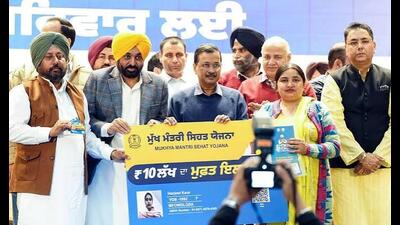
Punjab beneficiaries covered under the Mukh Mantri Sehat Yojana (MMSY) can now download their health cards online, eliminating the need to visit a centre solely to obtain a physical copy of the card.
The state health agency (SHA), Punjab, has introduced the digital facility to make access to the scheme faster and more convenient. Beneficiaries whose e-KYC and photograph verification have been completed can access their health cards through the official portal, download them in PDF format and save them on their mobile phones or take a printout. The digital download facility does not replace the beneficiary verification process, and those whose e-KYC has not been completed must first complete the required authentication.
The facility is part of the state government’s push towards digital delivery of healthcare services under the MMSY, which provides cashless treatment cover of up to ₹ 10 lakh per family annually.
Officials said completing photograph-based e-KYC remains mandatory.
Earlier reporting noted: How to download Mukh Mantri Sehat Yojana health card How to download Mukh Mantri Sehat Yojana health card Earlier reporting noted: The process also allows beneficiaries to check the updated photographs of family members and complete the required authentication before the card is generated. Beneficiaries can search for their family record using their family ID, health card number, mobile number or Aadhaar number. They must then complete OTP-based authentication linked to their registered mobile number or Aadhaar details before downloading the card. Before you download: Ensure that your photograph-based e-KYC is complete. Save the card securely on your phone or take a printout for use when accessing eligible healthcare services.
The scheme provides cashless treatment coverage of up to ₹10 lakh per family per year.
Earlier reporting noted: The digital health card facility is aimed at making access to Mukh Mantri Sehat Yojana easier for beneficiaries.
BOX How to download your MMSY health card Step 1: Find your record Enter your family ID, health card number, mobile number or aadhaar number. Step 2: Complete OTP verification Authenticate yourself through the OTP sent to your registered mobile number or linked details. Step 3: View and download After successful authentication, view the verified health card and download it in PDF format.
The initiative is expected to reduce paperwork and unnecessary visits while allowing beneficiaries to keep their health cards readily available on their mobile phones when accessing eligible healthcare services. Beneficiaries have been advised to use only the official SHA Punjab portal, sha.punjab.gov.in; https://sha.punjab.gov.in/shapunjab/; and not share their OTPs with anyone.
